


8. Saving, refreshing and resetting
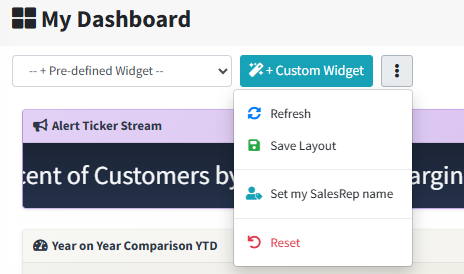
Everything below lives in the actions menu — the ⋮ button to the right of the toolbar.
| Action | What it does |
|---|---|
| Refresh | Reloads every widget's figures. Positions and sizes stay as they are. |
| Save Layout | Saves every widget's position, size, settings and SWOT colour for the device you are on. A Dashboard layout saved message confirms it. |
| Set my SalesRep name | Links your login to your sales rep so personal views work. See page 9. |
| Choose a starting layout… | Replaces your board with one of the ready-made layouts, after a confirmation. |
| Reset | Clears the board back to the default layout. |
Reset cannot be undone
Reset removes every widget on the current device's board. To tidy up a few widgets, remove them one at a time instead.