


11. Utilities
Housekeeping for the imported data. Read each on-screen warning before you click.
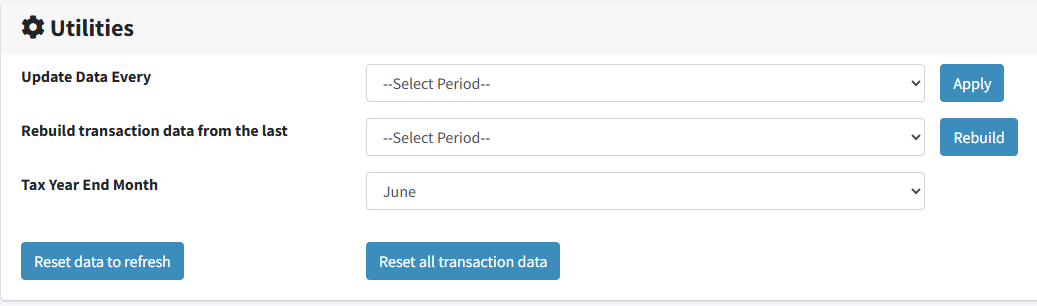
| Setting or tool | What it does |
|---|---|
| Update Data Every | How often your data is imported. Choose and click Apply. |
| Tax Year End Month | The last month of your financial year. Financial quarters, financial years and budgets all follow it. |
| Reset data to refresh | Winds the import back so the source system is read again. Nothing is deleted; records that arrive again replace what is there. Try this first. |
| Rebuild transaction data from the last | Deletes transactions imported since the point you choose, then imports them again from scratch. For corrections a refresh cannot pick up — most often a document deleted in your accounting system. |
| Reset all transaction data | Asks you to contact Salesmatrix before going further. |
Rebuild deletes before it re-reads
If the source system cannot be reached, or no longer holds those transactions, they will not come back. Reset data to refresh is the safer of the two and worth trying first.
Changing the Tax Year End Month
Every financial-year view moves with it: quarters are renumbered, financial-year reports regroup, and budget years follow. Set it once, correctly, rather than adjusting it.
Both are recorded
The Logs page shows who asked for a refresh or rebuild, and when. Afterwards the account returns to its normal schedule on its own.
That completes the series. Back to the start: Walk-through 1 — Introduction to the Dashboard.